

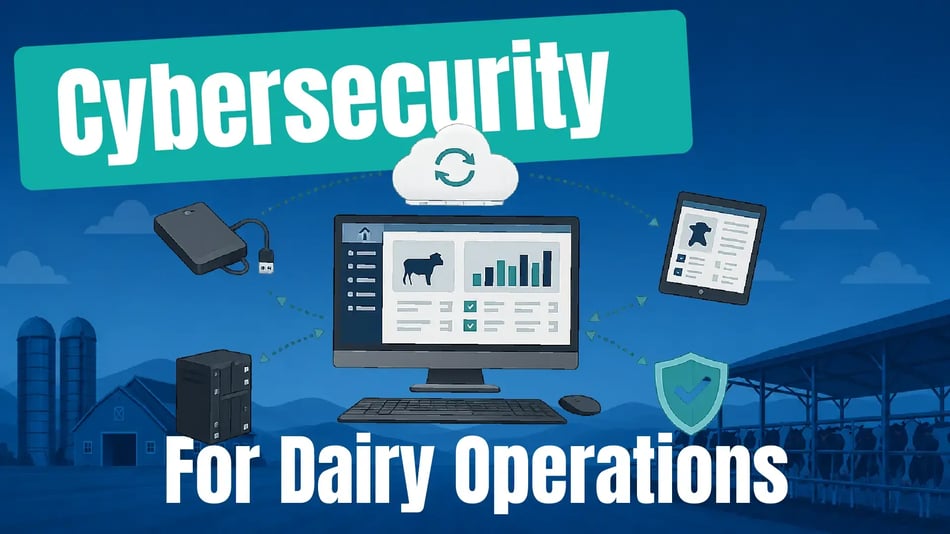
If there's one thing dairy producers understand, it's that operations don't stop.
Cows need to be fed. Herds need to be managed. Employees still need information to do their jobs. Every hour of downtime creates additional work, unnecessary stress, and potentially costly delays.
That's why the recent ransomware attack that forced Fairlife to suspend production across its U.S. facilities caught the attention of the entire dairy industry. It highlighted the growing importance of dairy cybersecurity and demonstrated how a single incident can affect production throughout the dairy supply chain. If an operation with significant technology resources can experience a disruption, it's a reminder that no operation is completely immune to unexpected events.
But cyberattacks, data breaches, hardware failures, accidental deletions, software corruption, power outages, natural disasters, and even simple human mistakes can all lead to data loss and interrupt your operation. It’s not a matter of if an interruption will occur—it’s when.
The question is, will you be prepared to recover when it does?
The Wrong Question
When people hear about a ransomware attack or other cybersecurity incident, the first question they often ask is:
“How do I prevent this from happening to me?”
It's a reasonable question, but it may not be the most important one.
Every operation should invest in strong passwords, employee training, software updates, antivirus protection, and secure networks. These measures significantly reduce risk, but no security system is perfect.
The better question is:
“If something goes wrong tomorrow, how quickly can I recover?”
That’s the foundation of effective disaster recovery. That's a question every dairy operation can answer—and improve.
The most resilient operations don't assume they'll never experience a problem. They prepare for the day when something unexpected happens by building systems that can recover quickly and continue moving forward.
There Is No Perfect Backup
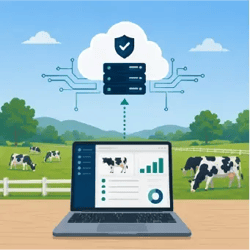 One of the biggest misconceptions about protecting your data is believing that a single backup can protect you from every type of failure.
Unfortunately, that's rarely the case.
A backup stored on the same computer won't help if the computer's hard drive fails. A cloud synchronization service may keep your mobile devices up to date, but it isn't designed to replace a complete desktop backup. An external hard drive protects against some problems but not a fire, flood, or theft affecting your entire location.
Every backup method has strengths—and limitations.
That's why resilient operations don't rely on a single solution. Instead, they build multiple layers of protection that work together.
For example, you might:
- Create automated local backups every day.
- Keep multiple versions of those backups in case one becomes corrupted.
- Store backup copies on a different computer or external drive.
- Maintain an off-site copy using a trusted cloud backup service or another location.
- Use synchronization services like EZfeed Cloud Sync or DHI-Plus Edge to keep herd data synchronized between your office and mobile devices.
Each layer addresses a different risk. Together, they provide a much stronger foundation for protecting your operation than any single backup ever could.
Our Layered Approach to Data Protection
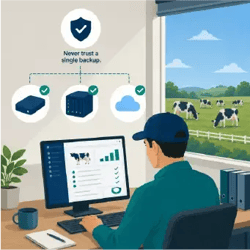 At Amelicor, we believe protecting your operation isn't about finding one perfect solution. It's about combining multiple layers that work together to reduce downtime and make recovery easier when something unexpected happens.
Those ideas shape how we design our software and support customers. Our dairy software is built around four core principles.
Local-First Operation
Your dairy shouldn't stop because your internet connection does.
EZfeed, DHI-Plus, and EZweights are designed to continue working locally, allowing your team to keep entering and accessing critical information even if internet service is temporarily unavailable.
Cloud Synchronization
Cloud services make it easier to keep desktop and mobile devices synchronized while providing an additional off-site layer through cloud-based synchronization for dairy data.
Services like EZfeed Cloud Sync and DHI-Plus Edge are designed to simplify mobile workflows by automatically synchronizing data in the background. While they aren't intended to replace a complete desktop backup, they provide another important layer in a comprehensive protection strategy.
Backup Redundancy
No single backup method protects against every type of failure.
Our software includes tools that make it easy to create backup files, automate backups, and integrate with off-site storage solutions as part of a broader backup strategy.
Support When You Need It
Technology is only part of the solution.
Our team helps customers configure synchronization services, answer questions, and provide guidance on backup best practices. We also encourage every customer to work with their IT provider to develop, test, and maintain a recovery plan for their local systems.
Protecting your operation is a shared responsibility. While we focus on building reliable software and providing tools that support a layered recovery strategy, your backup plan should also include secure computers, regular backups, off-site storage, and guidance from your IT provider.
The next five questions can help you evaluate how prepared your operation is today.
Five Questions to Ask Yourself Today
No one expects the unexpected—but every operation can prepare for it. Take a few minutes to consider these five questions. If you're unsure of any answer, please review your backup strategy with your team or IT provider.
The best backup strategy is one that successfully restores data when you need it. Make sure your team knows how to recover your data, who to call, and what steps to follow if something unexpected happens. A recovery plan should include regular testing so you know it works before you need it.
Final Thoughts
Whether the next disruption is a cyberattack, hardware failure, accidental deletion, or something entirely unexpected, preparation makes all the difference.
You don't need one perfect backup—you need multiple layers working together. By combining reliable software, regular backups, independent copies, off-site protection, and disaster recovery planning, you can reduce downtime and keep your operation running when it matters most.
Explore our Backup & Recovery Resource Center for software-specific guides, videos, and best practices that can help you build a stronger recovery strategy for EZfeed, DHI-Plus, and EZweights data.
![Herd Health and Mastitis Recovery: Understanding Infection Rates [Video]](https://www.amelicor.com/hs-fs/hubfs/blog-photos/mastitis-infection-and-recovery.jpg?height=500&name=mastitis-infection-and-recovery.jpg)



![Hospital Reports in DHI-Plus Mobile Service [Video]](https://www.amelicor.com/hs-fs/hubfs/images/blog-post/viewing-dhi-plus-hospital-reports-mobile.jpg?height=500&name=viewing-dhi-plus-hospital-reports-mobile.jpg)